Re-Run Task
Re-run Task automatically starts a new plan generation task pre-populated with the parameter settings from a previously generated plan. It can speed efforts to make changes, fix mistakes, add VMs, or capture current stat collection results. This function applies to the generation of protection, failover, and failback plans only.
- From the Home screen, select a previously generated plan with a desired parameter configuration.
- Click the Re-run Task button.
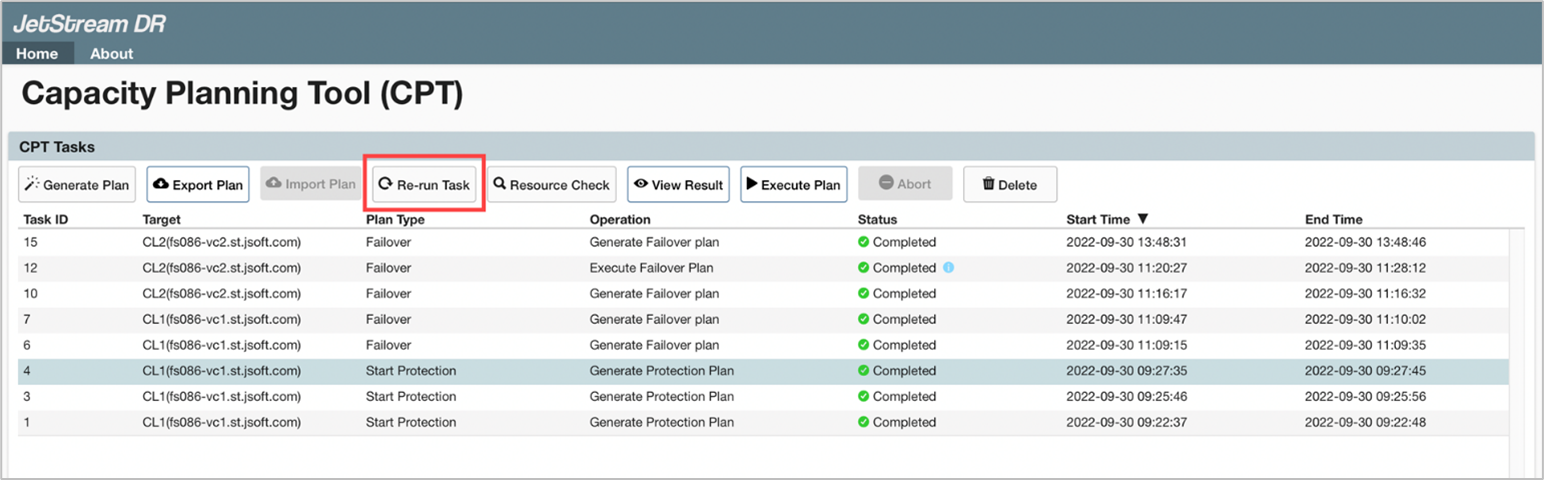
- A new task will be created to generate a plan of the same type with default parameter values from the selected original plan.
- All default settings are copied from the original plan.
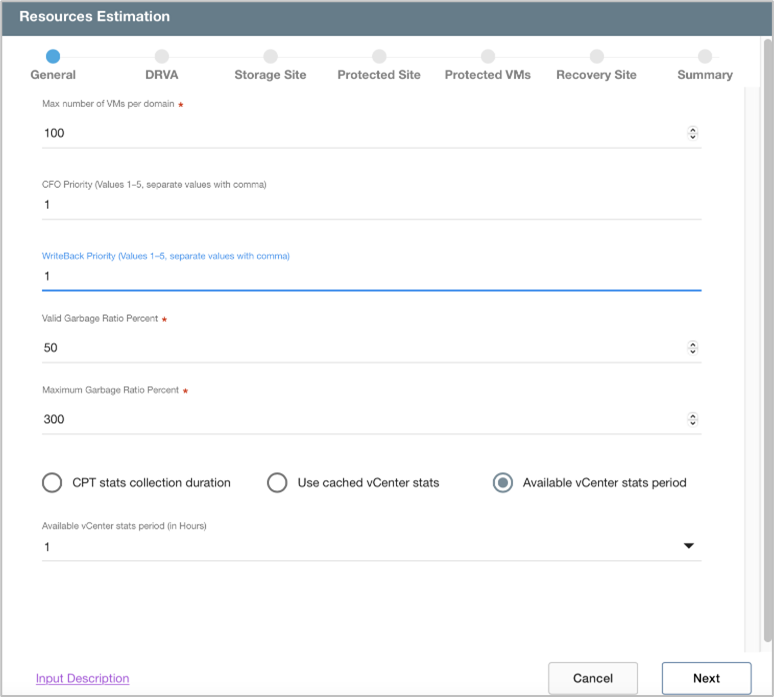
Figure 45: Default "General" values copied from the original plan.
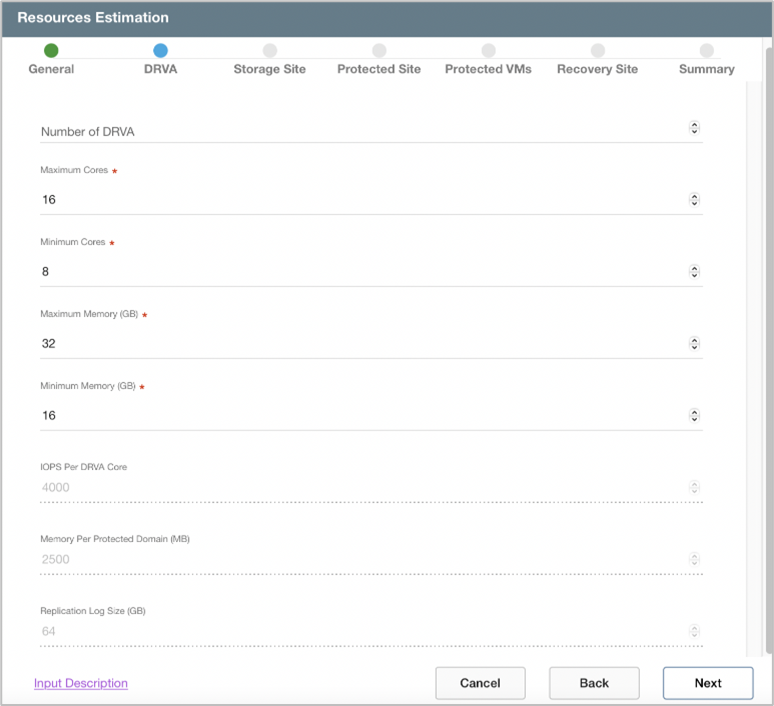
Figure 46: Default "DRVA" values copied from the original plan.
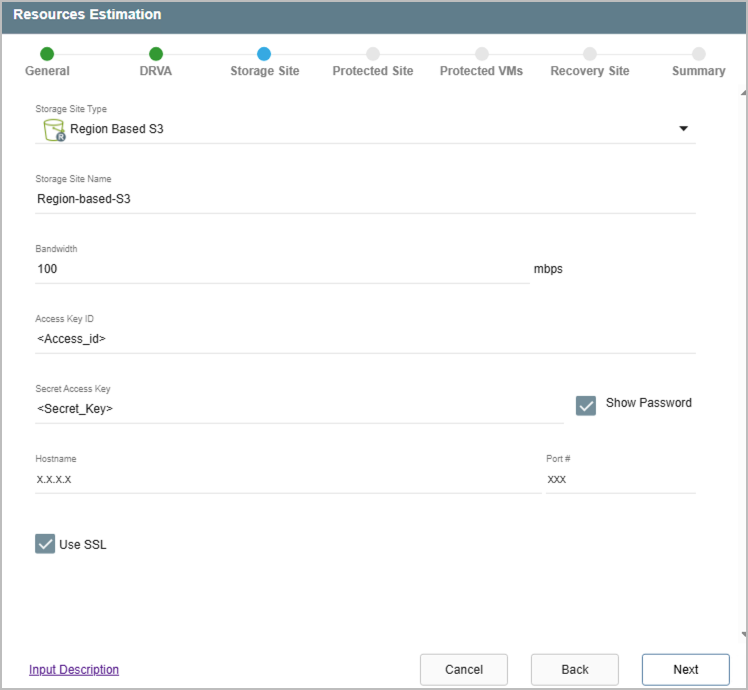
Figure 47: Default "Storage Site" values copied from the original plan.