CPT Execute Continuous Failover Plan (CFO)
To execute a CFO Plan:
- Collect a CFO Plan that was created during the generation of a protection plan.
- CFO Plans are created if a CFO Priority level value has been assigned during protection plan creation.
- Import the CFO Plan. It will now appear on the task list.
- Select the CFO Plan from the task list then click the Execute Plan button.
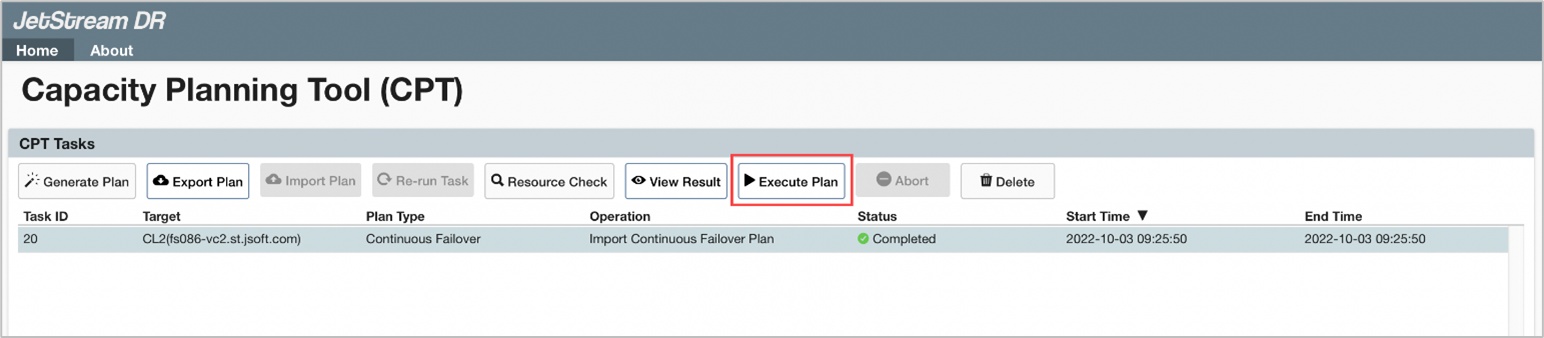
Figure 71: Execute a CFO plan.
- Plan details are retrieved from the server and automatically populate fields for review and editing.
- Edit CFO Plan execution parameters by clicking the Edit links.
- Datastore
- Domain Name Prefix
- vCenter Credentials
- Management Server
- DRVAs
- Storage Sites
- Domains
- Click the Save Plan button to save the edited CFO Plan for future reference.
- Click the Execute button to execute the CFO Plan.
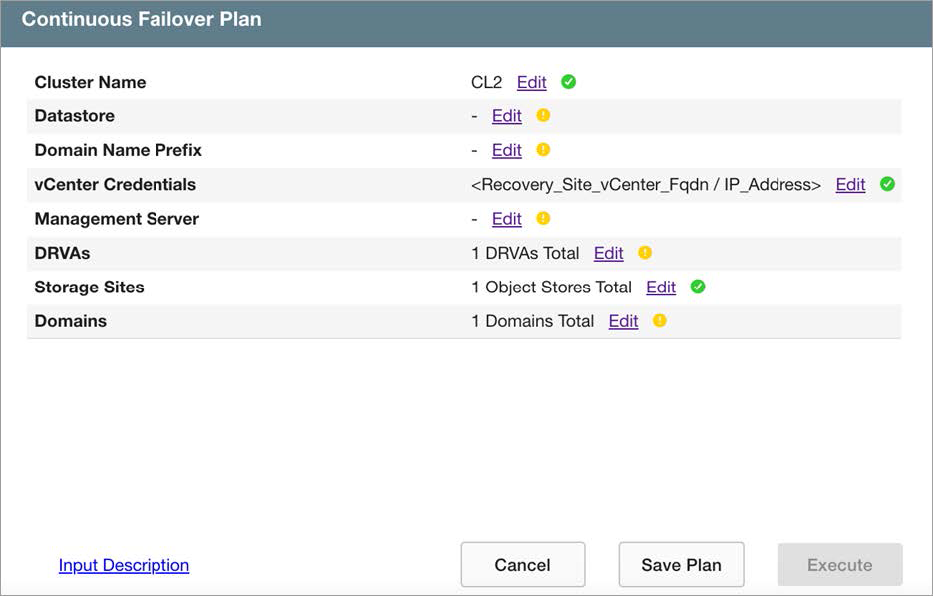
Figure 72: CFO plan execution parameters.
Note: Click the Input Description link to view help text about the input fields of the screen.
- The CFO task will be added to the CPT task list.

Figure 73: CFP plan execution started.
- Click the blue info icon under the Status column (for any executed task) to open a dialog window displaying task step details and status.
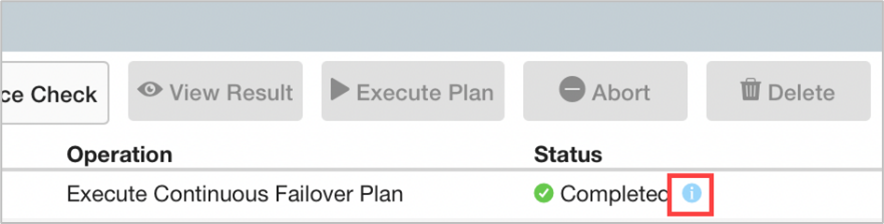
Figure 74: Click the blue info icon to view status details.
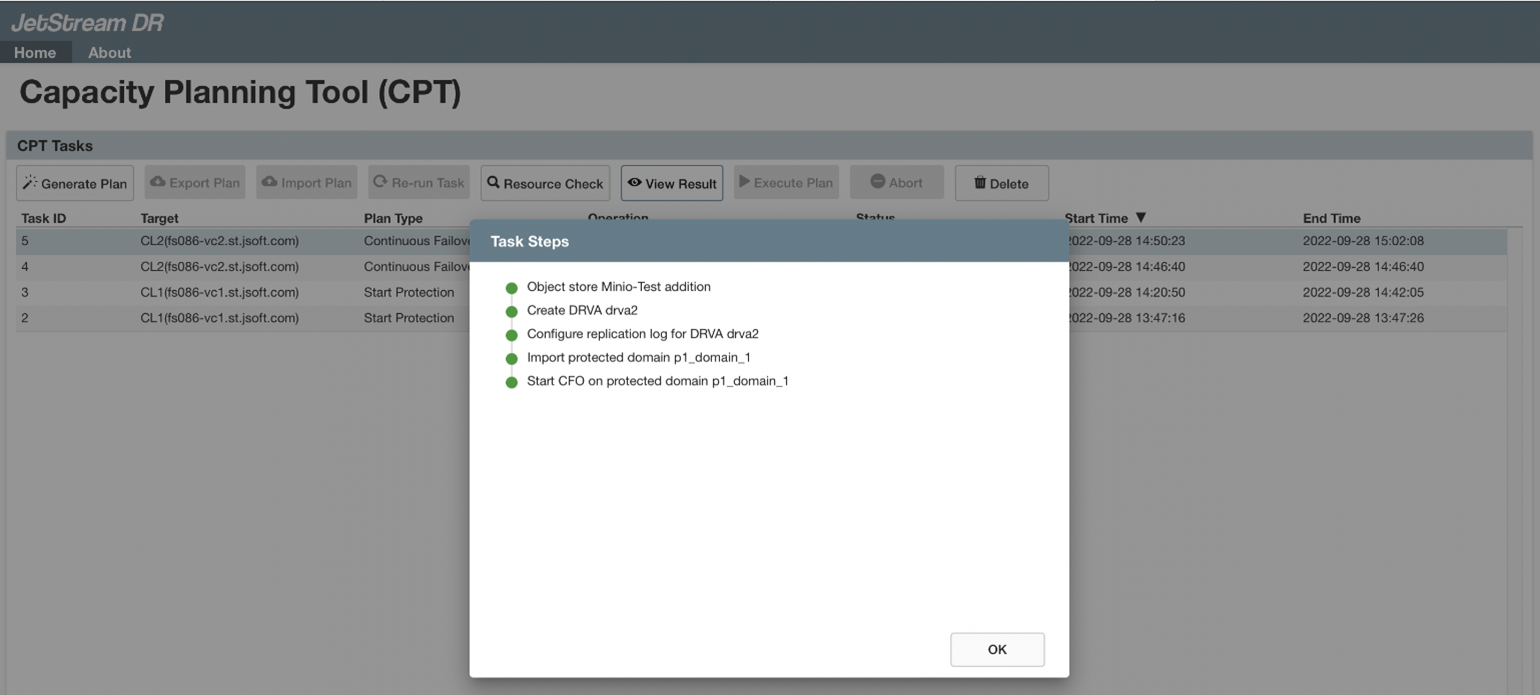
Figure 75: Execution task details.